Housekeeping and maintenance from room preparation to repair
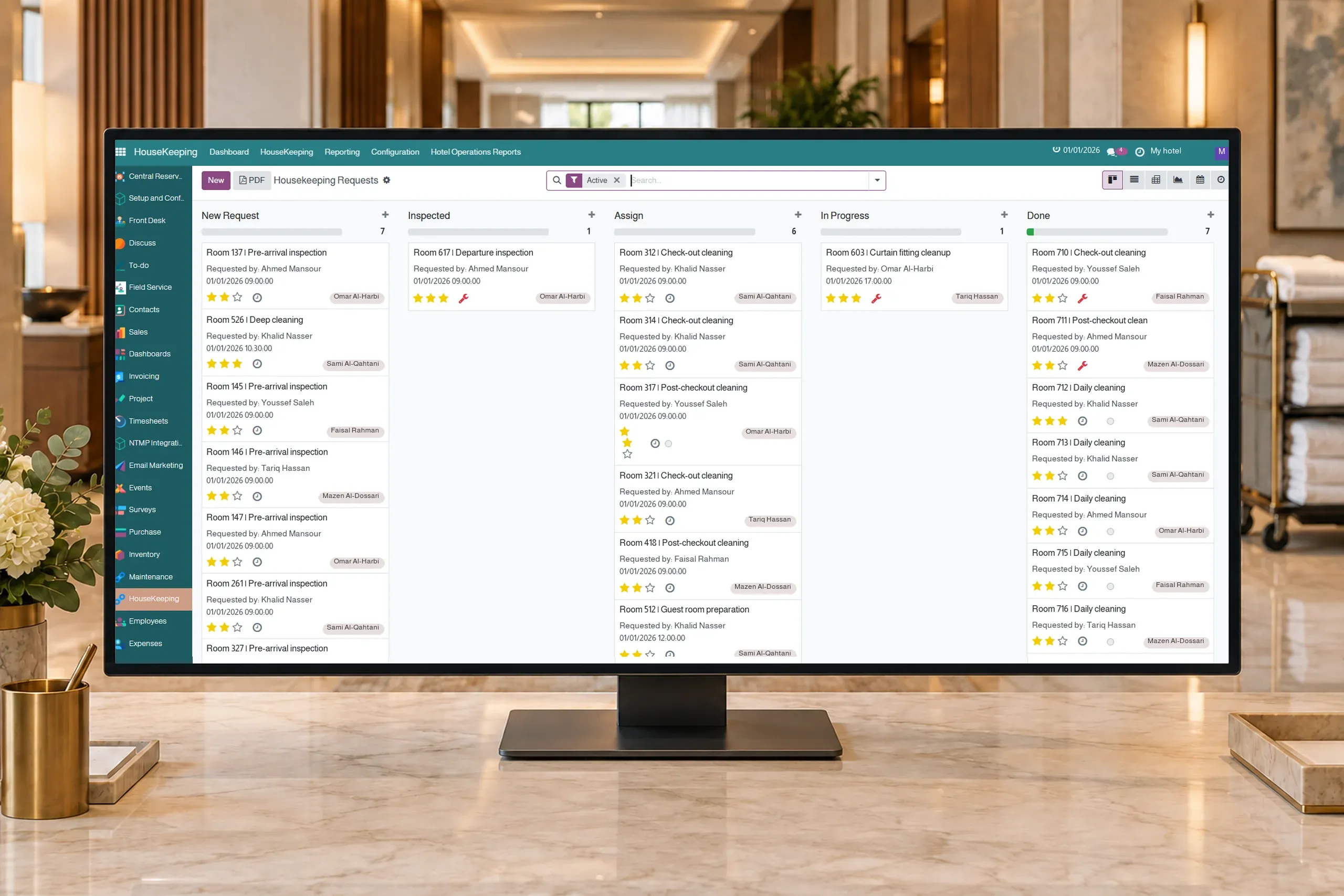
Automatically create, schedule and assign housekeeping requests through configured rules; staff follow checklists, room status and preventive or emergency maintenance in Flowtel.
Create requests for pre-arrival inspection, room make-up during the stay, departure inspection and cleaning after checkout. Flowtel automates request creation, scheduling and assignment through configured rules, templates and shifts; staff perform the work.
02
Recurring requests and clear assignment
Schedule recurring housekeeping work and assign requests to teams and attendants by shift, location and room. Follow assigned and ongoing work, and reassign remaining tasks during shift handover.
03
Checklists and completion records
Set task items and requirements for inspection, photos and supplies in the task template. Attendants record item progress, notes and supplies used; supervisors review requests that require inspection before completion.
04
Room status connected to the work
Update cleanliness status according to the task outcome and record conditions such as do not disturb or refused service. Track occupancy differences between booking records and housekeeping observations, keeping room status distinct from request stage.
05
Emergency and preventive maintenance
Record urgent faults and preventive maintenance requests with a room, location or equipment, work date and priority. Recurring preventive requests help organize inspection and maintenance within the team’s schedule.
06
Maintenance teams and repair tracking
Assign requests to maintenance teams and technicians, then follow new, assigned, in-progress and completed work. Technicians record notes and progress; supervisors review completion. Out-of-order rooms can return to service according to request settings and property procedures.
The workflow
Practical example: a room from arrival to departure
01Before arrival: a room inspection request is created from the preparation template and assigned to the configured team
02During the stay: recurring room make-up requests are scheduled and attendants record checklist progress
03At departure: the departure inspection is reviewed, then a post-checkout cleaning request is created and assigned by shift and location
04Before completion: the supervisor reviews any required inspection and cleanliness is updated; faults follow a separate maintenance request
The system organizes request creation, scheduling and assignment across the stay using configured rules, templates, shifts and teams. Staff carry out inspections and cleaning and record results; supervisors approve work that requires inspection.
Can checklists differ by task type?
Yes. Define checklist items, target cleanliness states, and requirements for photos, inspection and supplies. The template populates the request so the team has clear steps to follow.
How does the team handle a room that cannot be serviced?
Staff can record conditions such as do not disturb or refused service, add notes and follow the request through its stages. Remaining work can be reassigned at shift handover.
How do we follow an emergency maintenance ticket?
Record the fault with its room, location or equipment and priority, then assign the maintenance team and technicians. Request stages and technician notes support progress tracking and completion review.
How does preventive maintenance differ from fault repair?
Fault repair starts with a reported problem. Preventive maintenance uses scheduled dates and recurrence to organize inspections and work in advance. Both use requests, assignment and progress tracking.
Does completing maintenance return a room to service?
A request can link to an out-of-order room and specify its return to service on completion, according to the configured procedure. The team and supervisor remain responsible for reviewing the repair and completing the request.
PMS + ERP + CONNECT
See your housekeeping cycle and maintenance request in action