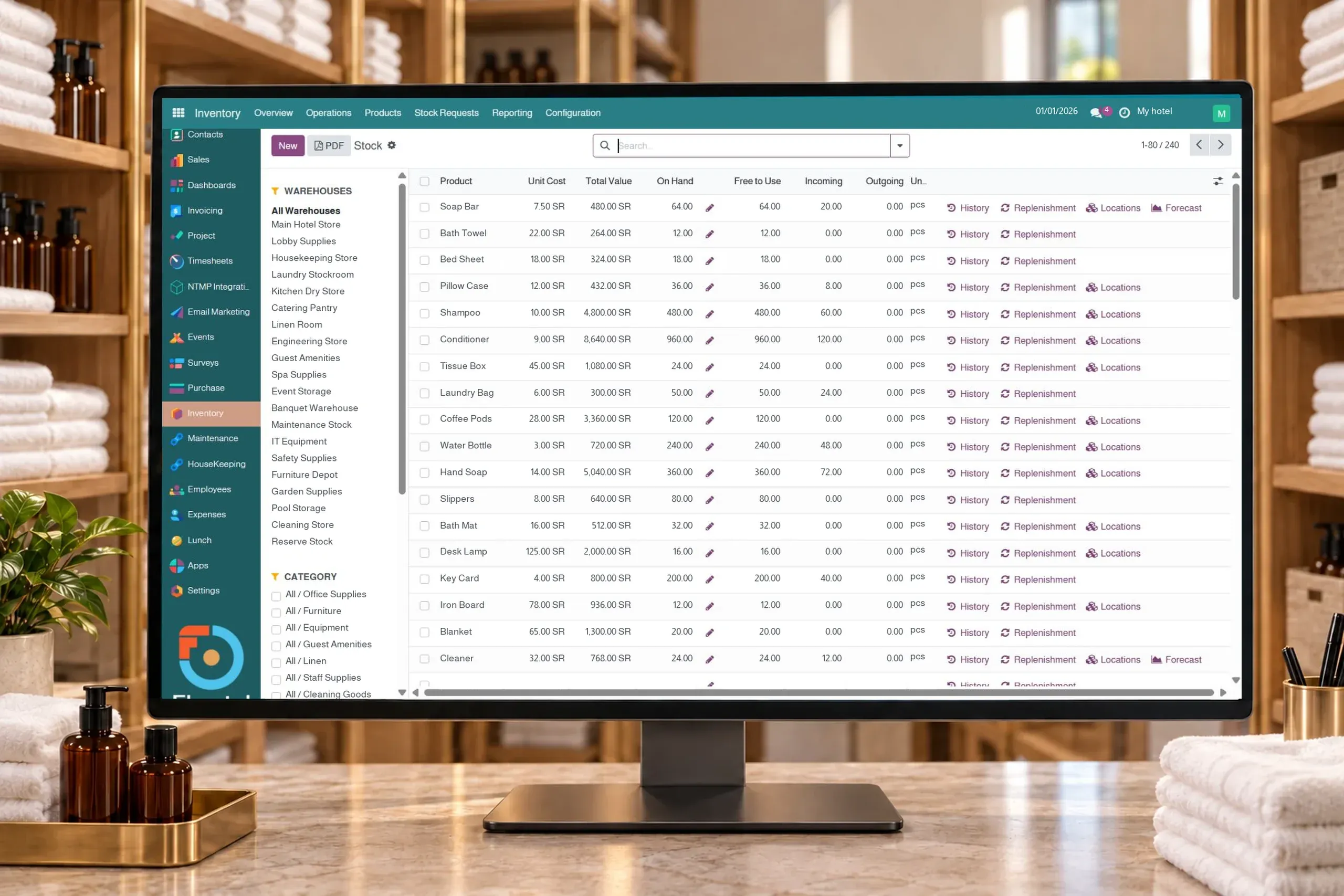
Hotel inventory from receipt to issue and stocktake
Track items, storage locations, receipts, issues, transfers and stocktakes in Flowtel ERP for hotels and operators. Review replenishment rules in a tailored demo.
Organize items in defined warehouses and storage locations, and review on-hand, reserved and available quantities. Clear balances and locations help hotel and operator teams see what can be used before requesting new supplies.
02
Receipts, issues and transfers
Record goods received from suppliers, issues and transfers between storage locations, with quantities, source, destination and operation status. Follow supplies through clear movement documents alongside their overall balances.
03
Stock counts and differences
Record the quantity counted by the team and compare it with the recorded balance, then review differences and apply an inventory adjustment with the responsible permissions. The adjustment leaves a movement record for later review.
04
Lot and serial number tracking
Assign lot or serial numbers to items that require traceability and review their locations and movements. This helps identify a supply batch or individual item when your procedures need that level of tracking.
05
Replenishment rules
Set minimum, maximum and reorder quantities for each item and location. Replenishment can be manual or automatic according to the configured rule and supply route, helping plan supplies around forecast stock.
06
Movement history connected to purchasing
Review an item’s warehouse movements and receipts associated with purchase orders. Movement history provides quantity, date and location context when following departmental needs and supply.
The workflow
Practical example: room supplies from the vendor to their destination
01Receive the supply and record its quantity in a storage location
02Follow the transfer or issue to the required location
03Review the balance and item movement history
04Count stock or review replenishment needs against the rules
Can we manage more than one warehouse or location?
Yes. Warehouses and storage locations can be organized with balances reviewed by location and company. For an operator, we define the distribution of hotel warehouses and team responsibilities around your work.
How does the system handle a difference found during a stock count?
The counted quantity is recorded and its difference from the recorded balance is shown. The responsible person reviews the difference and applies an adjustment, with a movement recorded for later review. Counting helps correct the record after review.
Is replenishment always automatic?
Rules can be configured for manual or automatic replenishment, with minimum and maximum quantities and an appropriate supply route. Rules, units and vendors are reviewed during setup to suit your property’s needs.
How does a warehouse issue differ from a housekeeping supply record?
A warehouse issue records a quantity movement between locations and affects the balance. A housekeeping supply record shows items used on a work request; the connection between the two procedures follows the agreed operating process.
What should we bring to an inventory demo?
Representative items, units, storage locations, opening balances and a receipt and issue example. Include lot or serial tracking and replenishment thresholds if they are part of your procedures.
PMS + ERP + CONNECT
See your hotel supplies move from receipt to issue