
01
Clear team requirements
Collect team needs in a purchase request with the requester, company, items, quantities, units and required date. Follow the request and its configured approval process before purchasing.
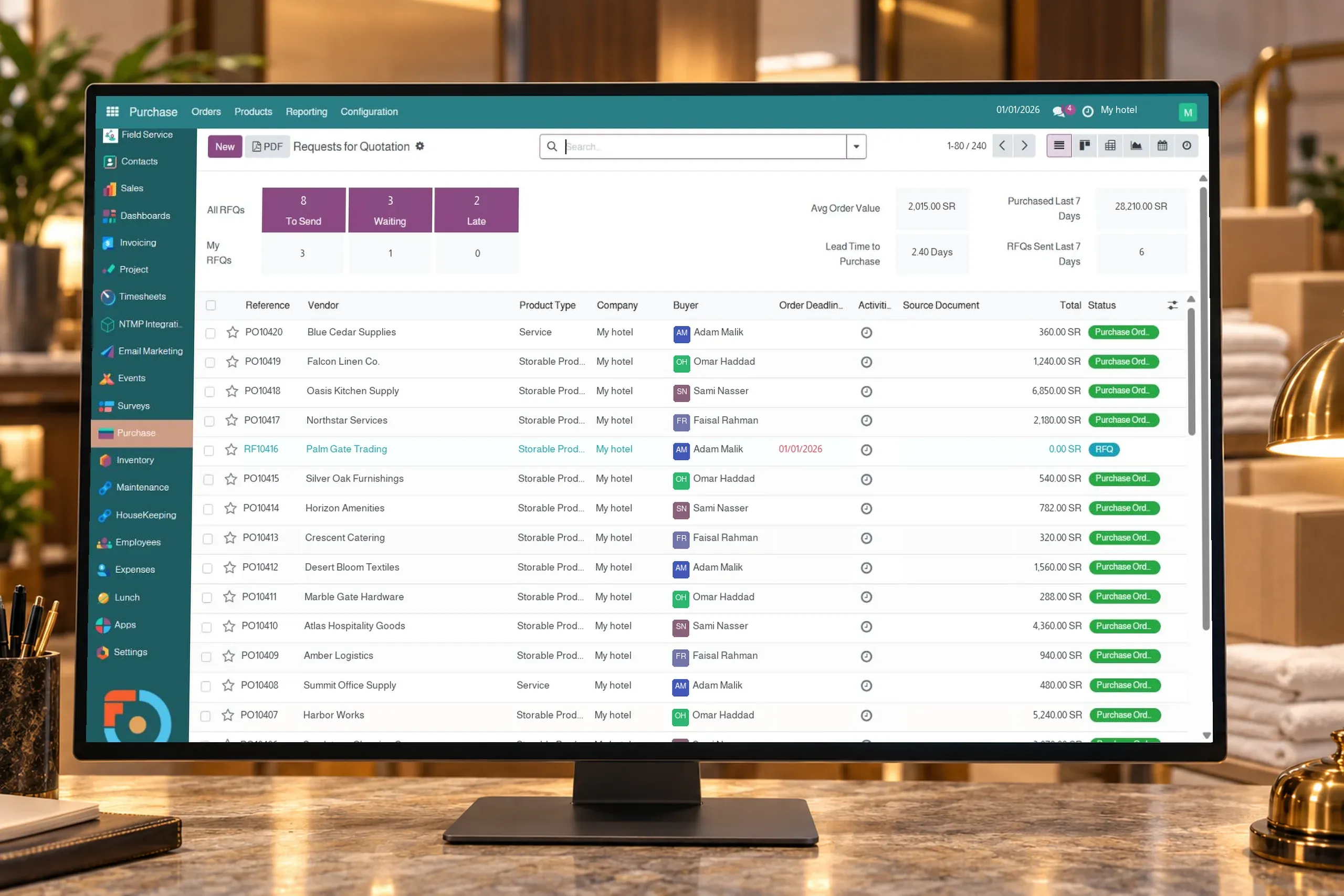
Follow purchase requests, suppliers, quotations, orders, receipts and supplier invoices in Flowtel ERP for hotels and operating companies.
Collect team needs in a purchase request with the requester, company, items, quantities, units and required date. Follow the request and its configured approval process before purchasing.
Maintain vendor details, item prices, purchase units and delivery lead times. Configured vendor information is used when preparing purchase lines, helping the team review prices and expected delivery dates.
Prepare a request for quotation with the vendor, items and quantities, then confirm a purchase order after reviewing the details. A quotation request can be created from approved purchase request lines, keeping the need connected to its commercial document.
Follow goods received against a purchase order and the quantities delivered. Partial receipts allow the remainder to be followed according to operation settings, so the team can see what has arrived and what is still expected.
Link vendor bills to purchase orders and review ordered, received and billed quantities. Billing policy can be configured around ordered or received quantities according to the item and your procedures.
Review purchasing by vendor, item, company and order status, with quantities and values available in the report. This information helps operational and finance teams follow and review purchasing activity.
The requirement is recorded with items, quantities and the requester, then follows the configured approval process. A quotation request can be prepared from approved lines, with vendor selection and details reviewed before confirming the purchase order.
Yes. You can record the quantity received and follow the remainder through the receipt and configured backorder process. We demonstrate a partial receipt using items relevant to your property.
Vendor bills are linked to purchase orders, with billed quantities reviewed alongside ordered and received quantities. The item’s policy determines whether bill preparation is based on ordered or received quantities.
Yes. Purchasing is organized by company and benefiting hotel within the platform configuration, with responsibilities for requests, buying, receipt and financial review defined. We use an example from your hotels to establish a suitable process.
Items, units and quantities, one or more vendors, representative prices and lead times, and your current approval process. A purchase, receipt and invoice example helps you see the full cycle before choosing scope.
Let’s discuss your property’s needs